How I Enrich a B2B Lead List Without Paid Databases
A thin lead list can look fine at first glance, then fall apart the moment outreach starts. I’ve seen it happen many times, and the fix usually isn’t more volume. It’s better B2B lead enrichment. I prefer a slower, cleaner...


A thin lead list can look fine at first glance, then fall apart the moment outreach starts. I’ve seen it happen many times, and the fix usually isn’t more volume. It’s better B2B lead enrichment.
I prefer a slower, cleaner method. I start with what I already know, pull from public sources, and add only data I can defend. That keeps my list useful, my inbox safer, and my team out of trouble.
Start with the data I already control
Before I chase new names, I squeeze more value from the leads I already have. First-party data is the easiest place to begin because it comes with context.
I look at demo requests, webinar signups, newsletter subscribers, trial users, chat transcripts, and support tickets. Those people have already raised a hand, even if it was a small one. I also tag the source, campaign, and date captured, because that tells me how fresh the lead really is.
When I enrich this group, I’m not guessing from scratch. I’m filling gaps. A webinar attendee might need a title check. A trial user might need company size and role. A form fill might need a verified work email before it enters a sequence.
I also keep an eye on deliverability. A good list still fails if the email data is sloppy, so I pair enrichment with verification. My reduce cold email bounces with Hunter.io workflow helps me keep that part under control.
Mine public sources without crossing the line
Public sources are where I find most of my enrichment fuel. Company websites, press releases, job posts, podcast guest pages, conference agendas, and LinkedIn profiles all tell a story. I treat each one like a puzzle piece.


A company website usually gives me the basics, such as team pages, customer logos, locations, and product focus. LinkedIn helps me confirm titles and reporting lines. Press releases show growth signals. Job posts can hint at new tools, new markets, or a fresh buying trigger.
I also like public databases and open-source style research when I need a wider view. This 2026 guide to public B2B databases is a good reference point. For a more tactical angle, I found using public data and AI for prospect lists useful when I want to build a tighter target set from scratch.
Still, I don’t scrape behind logins or bypass site rules. I stick to public pages, manual review, and tools that respect access limits. That keeps my process cleaner and my outreach less risky.
Turn raw contacts into fields I can use
Raw lead data is messy until I decide what matters. I keep my enrichment fields simple, because every extra field needs a reason.
| Field | Why I capture it |
|---|---|
| First and last name | Personalization and dedupe |
| Job title | Fit and seniority |
| Company name | Account matching |
| Company domain | Email and website checks |
| Work email | Outreach and verification |
| Direct phone | Sales follow-up, if public |
| LinkedIn URL | Identity confirmation |
| Source URL | Audit trail |
| Last verified date | Freshness control |
| Consent or lawful basis | Compliance tracking |
That table keeps my CRM from turning into a junk drawer. It also makes it easier to decide which lead gets a sequence, a manual review, or a hold.
My simple enrichment workflow
I use the same order every time, because habits beat heroics.
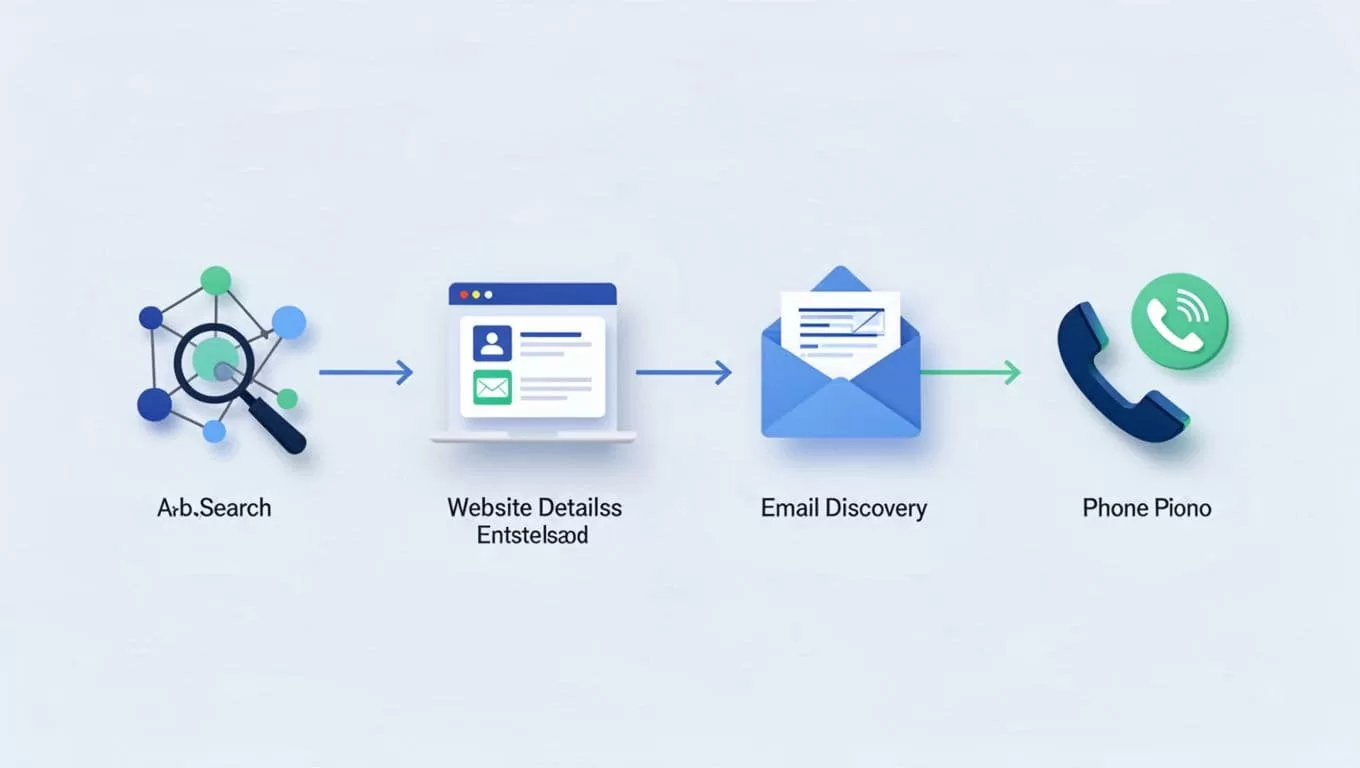
- I start with the company domain and official website.
- I confirm the person’s name and title on LinkedIn or the company site.
- I look for a work email only after I know the person is a real fit.
- I verify the email before I send anything.
- I tag the source and the date so I can review it later.
That order saves time. It also stops me from wasting effort on contacts that don’t match the account anymore.
Use free tools for quick wins
Free tools can do more than people expect, if I use them with discipline. I keep a small stack and avoid tool sprawl.
For email discovery and verification, I like Hunter.io review for B2B contact discovery because it fits the kind of manual work I do. I also use its verification flow when I need to check a list before outreach. If a domain looks risky, I review Hunter.io guide to accept-all domains so I know whether to slow down or skip.
I also use free browser extensions, Google search operators, and LinkedIn search. A few useful patterns help a lot:
- Search the company domain plus “team” or “contact.”
- Search the person’s name plus company name.
- Check whether the email format matches other public addresses.
- Compare the LinkedIn title with the website bio.
- Look for recent changes, such as funding, hiring, or expansion.

I don’t need every tool on the market. I need a repeatable process that gives me enough signal to move.
Validate before I send anything
A clean list still isn’t safe until I can explain where every key field came from.
Before outreach, I run a quick validation pass. I check that the title matches the role, the company is active, and the email still looks current. If I’m unsure, I pause the lead instead of forcing it into a sequence.
Here’s the process I trust:
- I cross-check the company name against the website and LinkedIn.
- I confirm the job title is current, not from an old profile.
- I verify the email format and watch for catch-all behavior.
- I check the source date, because stale data ages fast.
- I review regional rules, then I store the lawful basis or consent note.
That last step matters. GDPR, UK GDPR, CCPA/CPRA, and CASL all change how I think about outreach. I don’t treat every public email address as a free pass. If I don’t have a clear reason to contact someone, I leave them out.
Clean enrichment beats big databases
I don’t need a paid database to build a strong lead list. I need public sources, first-party data, free tools, and a workflow that doesn’t fall apart under pressure. The best lists I build are the ones I can explain line by line.
When I enrich this way, I get better fit, fewer bounces, and less cleanup later. That’s the real win. Not more records, just better ones.

