Skip to content
Google Workspace

Google Workspace guides and comparisons

Administer Google Workspace for a small team. These guides cover Drive and shared drive structure, Gmail configuration, Calendar scheduling, Forms, Chat, Sites, Vault retention, and Cloud Identity licensing. You will find folder templates for new clients, external sharing controls, duplicate file cleanup, version history recovery, admin alerting for suspicious logins, and access reviews that do not generate noise. Workspace problems usually come from permissions drift rather than missing features, so several guides focus on structure you set once and audit later.

In-Depth Guides

Side by Side

Dated Checks

Real Fees

Showing 91–104 of 104 Google Workspace guides
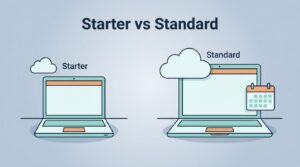
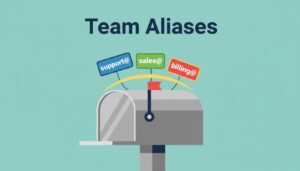
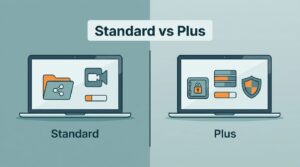
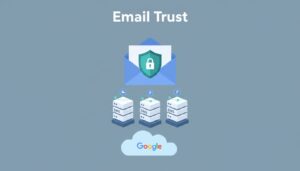
Google WorkspaceGoogle Workspace Starter Vs Business Standard For Small TeamsMost small teams don’t outgrow email first. They outgrow storage, meetings, and shared work, then the cheap plan s…Mar 29, 2026 · 5 min readGoogle WorkspaceHow I Set Up Google Workspace Email Aliases for TeamsOne inbox can wear several name tags, and that’s why Google Workspace email aliases save me time and money. When a…Mar 29, 2026 · 5 min readGoogle WorkspaceGoogle Workspace Business Standard Vs Business Plus for Small TeamsMost small teams should pick Business Standard. It gives me shared drives, meeting recordings, and enough storage for ev…Mar 28, 2026 · 5 min readGoogle WorkspaceGoogle Workspace Vs Microsoft 365 For Small Business Email In 2026Google Workspace vs Microsoft 365 comes down to how your team works. Google Workspace suits browser-first teams who edit…Mar 25, 2026 · 8 min readGoogle WorkspaceHow I Set Up SPF DKIM and DMARC in Google WorkspaceGmail trusts mail from your domain when three DNS records tell receiving servers the message is real. Those records are…Mar 24, 2026 · 8 min readGoogle WorkspaceHow To Migrate Business Email From Zoho To Google WorkspaceMoving business email feels like carrying glass across a crowded room. One bad step and people miss messages, calendars…Mar 24, 2026 · 8 min readGoogle WorkspaceRun Enterprise Video Conferencing With Google WorkspaceWhat happens when a simple video call turns into a board review, a hiring panel, and a live town hall? Enterprise video…Mar 23, 2026 · 8 min readGoogle WorkspaceHow I Deploy Google Workspace Collaboration for Remote TeamsRemote work slows down when tools pile up. Teams chat in one app, store files in another, and miss the latest version in…Mar 22, 2026 · 8 min readGoogle WorkspaceHow to Share Google Workspace Documents SafelyGoogle Workspace document sharing starts in the Share dialog in Drive. Open the file, choose Share, add a person or Goog…Mar 22, 2026 · 8 min readGoogle WorkspaceHow I Deploy Google Workspace File Storage for BusinessGood cloud storage starts with ownership, access, and risk, not with folders. Google Workspace file storage works best w…Mar 22, 2026 · 8 min readGoogle WorkspaceHow to Create a Shared Team Calendar in Google CalendarA shared team calendar gives everyone one place to track meetings, deadlines, time off, launches, shifts, and other date…Mar 22, 2026 · 14 min readGoogle WorkspaceComplete Corporate Email Setup on Google WorkspaceA corporate email address acts as your digital front desk. A Google Workspace email setup succeeds when five DNS records…Mar 21, 2026 · 8 min readGoogle WorkspaceHow I Manage Business Email Hosting With Google WorkspaceA business email address works like a storefront sign. Customers notice when the sign looks wrong. Google Workspace emai…Mar 21, 2026 · 8 min readGoogle WorkspaceHow I Set Up Google Workspace Email on My DomainA custom inbox such as name@yourdomain.com signals a real business. Free addresses work for personal mail, but proposals…Mar 21, 2026 · 8 min read
Exit mobile version