Team Collaboration and Tools
Team Collaboration and Tools guides and comparisons
Run a small team without tool sprawl. These guides cover Google Workspace administration, document and file management, and the wider stack of tools small teams actually rely on. You will find Drive and Gmail configuration, shared drive structure, PDF and e-signature workflows, secure file sharing, password and access management, meeting notes, project tracking, and honest tool comparisons. Most small team problems are process problems wearing a software costume, so the guides start with the workflow and only then pick the tool.
Narrow it down
Showing 331–342 of 342 Team Collaboration and Tools guides
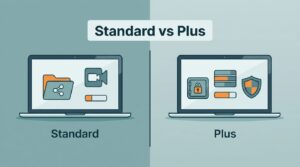 Google WorkspaceGoogle Workspace Business Standard Vs Business Plus for Small TeamsMost small teams start with Business Standard. The plan gives each user 2 TB of pooled storage, meeting recordings, and…
 Google WorkspaceGoogle Workspace Vs Microsoft 365 For Small Business Email In 2026Google Workspace vs Microsoft 365 comes down to how your team works. Google Workspace suits browser-first teams who edit…
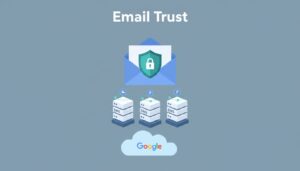 Google WorkspaceHow I Set Up SPF DKIM and DMARC in Google WorkspaceGmail trusts mail from your domain when three DNS records tell receiving servers the message is real. Those records are…
 Google WorkspaceHow To Migrate Business Email From Zoho To Google WorkspaceMoving business email feels like carrying glass across a crowded room. One bad step and people miss messages, calendars…
 Google WorkspaceRun Enterprise Video Conferencing With Google WorkspaceWhat happens when a simple video call turns into a board review, a hiring panel, and a live town hall? Enterprise video…
 Google WorkspaceHow I Deploy Google Workspace Collaboration for Remote TeamsRemote work slows down when tools pile up. Teams chat in one app, store files in another, and miss the latest version in…
 Google WorkspaceHow to Share Google Workspace Documents SafelyGoogle Workspace document sharing starts in the Share dialog in Drive. Open the file, choose Share, add a person or Goog…
 Google WorkspaceHow I Deploy Google Workspace File Storage for BusinessGood cloud storage starts with ownership, access, and risk, not with folders. Google Workspace file storage works best w…
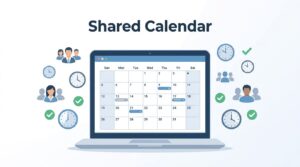 Google WorkspaceHow to Create a Shared Team Calendar in Google CalendarA shared team calendar gives everyone one place to track meetings, deadlines, time off, launches, shifts, and other date…
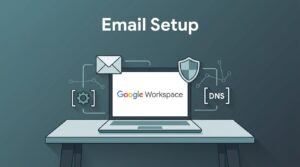 Google WorkspaceComplete Corporate Email Setup on Google WorkspaceA corporate email address acts as your digital front desk. A Google Workspace email setup succeeds when five DNS records…
 Google WorkspaceHow I Manage Business Email Hosting With Google WorkspaceA business email address works like a storefront sign. Customers notice when the sign looks wrong. Google Workspace emai…
 Google WorkspaceHow I Set Up Google Workspace Email on My DomainA custom inbox such as name@yourdomain.com signals a real business. Free addresses work for personal mail, but proposals…
