How to Implement Dealership Automation Tools on Twin.so
Dealership teams lose time when leads, service requests, documents, and follow-ups sit in separate systems. Dealership automation tools reduce that waste by moving routine work through a defined process instead of relying on memory and manu...
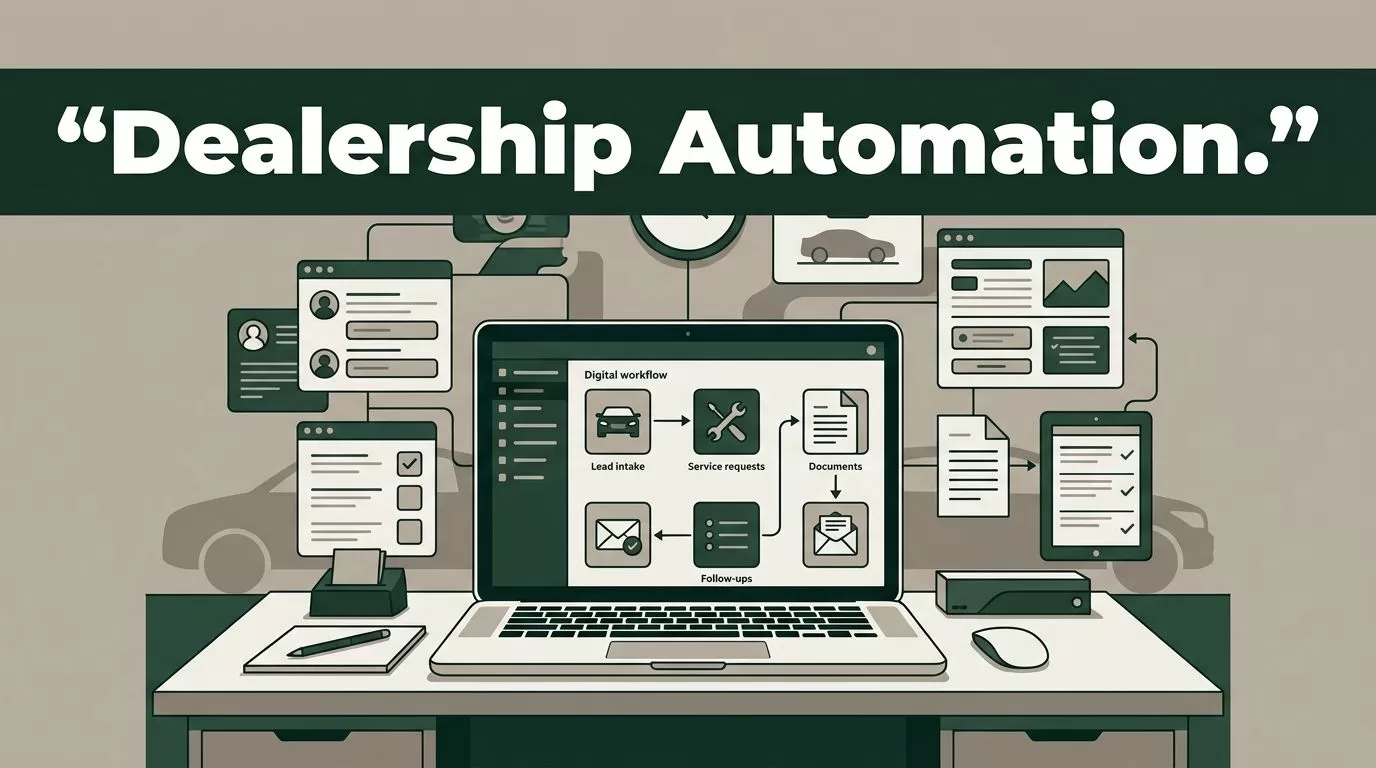
Dealership teams lose time when leads, service requests, documents, and follow-ups sit in separate systems. Dealership automation tools reduce that waste by moving routine work through a defined process instead of relying on memory and manual handoffs.
Twin.so gives you a practical platform for building and managing these workflows. You describe the outcome, connect the required systems, and configure the agent to act on a schedule, incoming email, form submission, webhook, or other approved trigger. The right starting point is not a large automation project. It’s one dealership process with clear inputs, outputs, and approval rules.
Start With a Dealership Workflow, Not a Tool List
A dealership automation project works best when you document the current process before opening Twin.so. Pick a workflow that happens often, follows repeatable rules, and creates measurable administrative work.
Good starting points include:
- New lead intake from website forms, email, or third-party marketplaces.
- Missed-call follow-up and appointment request routing.
- Customer document collection for financing or service work.
- Service reminders based on appointment history or vehicle records.
- Inventory research and daily availability reporting.
- CRM updates after calls, emails, test drives, or appointments.
Write down each step in plain language. Record the trigger, the data required, the action taken, the system updated, and the person who handles exceptions.
For example, a new internet lead may follow this sequence:
- A form submission enters the dealership inbox or CRM.
- The workflow extracts the customer name, phone number, email, vehicle interest, and consent status.
- Twin checks the approved inventory source.
- The agent adds the lead to the correct CRM stage.
- The system creates a task for the assigned salesperson.
- Twin drafts a response using approved dealership language.
- A staff member reviews and sends the message.
This process gives you a clear boundary. Twin handles data movement and preparation. The salesperson controls the customer-facing communication.
Clean input data matters. Standardize vehicle stock numbers, lead stages, department names, and appointment statuses before you automate. If one system calls a lead “New” and another calls it “Open,” your routing rules need a clear mapping.
An automation can’t fix an unclear process. It will repeat the same confusion at higher speed.
How dealership automation tools fit on Twin.so
Twin.so is a no-code AI agent platform designed to execute business workflows across connected applications and websites. Its agents can use integrations, browser automation, schedules, and event-based triggers. That makes it useful when a dealership depends on a mix of CRM software, DMS portals, email, spreadsheets, manufacturer systems, and web-based vendor tools.
Review the Twin.so platform before building. Confirm that each system in your process has a supported integration or an approved browser-based access method. Do not assume that a tool can safely read or write data because an employee can access it manually.
Create a separate Twin workflow for each operational purpose. A lead intake agent should not also update service records and send finance documents. Smaller workflows are easier to test, audit, pause, and assign to the right department.
Use a consistent structure inside every agent:
- Trigger: Define what starts the workflow, such as a new email, form submission, schedule, or webhook.
- Inputs: List the fields Twin must read, including lead ID, customer contact details, stock number, source, consent status, and assigned employee.
- Actions: State the exact records to find, create, update, or summarize.
- Rules: Add conditions for department, location, vehicle status, customer consent, and duplicate records.
- Output: Define the result, such as a CRM update, task, internal notification, draft reply, or exception report.
- Approval: Stop the workflow before any action that affects a customer, contract, payment, or legal record.
Twin’s workflow and agent learning resources provide background on browser automation and agentic workflows. Use that material to understand how an agent operates when a traditional API isn’t available.
Keep instructions direct. Instead of writing, “Handle new leads efficiently,” write, “Find the lead using the email address. If the email already exists, update the open record. If no record exists, create one. Never create a second record when the phone number and email match an existing lead.”

Build a Lead Intake Workflow With Approval Controls
Sales departments usually have the clearest first use case because lead volume is high and response tasks are repetitive. The goal is not to let an agent replace the salesperson. The goal is to remove copying, searching, and task creation from the process.
Start by connecting the approved lead sources. These may include a website form, a shared sales inbox, a CRM, or a marketplace portal. Test each connection with non-production records first.
Configure Twin to extract only the fields the process needs. A standard intake record may include:
- Customer name and preferred contact method.
- Email address and phone number.
- Vehicle make, model, trim, and stock number.
- New, used, or certified preference.
- Lead source and submission time.
- Consent status and communication restrictions.
- Assigned salesperson or store location.
Next, add duplicate detection. Search by email first. Use phone number and customer name as secondary checks. If the agent finds conflicting records, stop the workflow and send the case to a manager or CRM administrator.
Inventory matching needs its own rules. The workflow should check whether the requested vehicle is available, sold, in transit, or unavailable. If the source data is stale or incomplete, the agent should report the uncertainty instead of promising availability.
Customer-facing messages require approval. Twin can prepare a draft with vehicle details, appointment options, and a clear next step. A salesperson reviews the draft, corrects errors, and sends it through the dealership’s approved channel.
Add an internal notification when the workflow stops. The notification should include the lead ID, the failed step, the source record, and the action required. A vague message such as “Automation failed” creates another manual investigation.
Measure the process with operational fields. Track intake time, duplicate rate, records needing review, and tasks created. Don’t claim faster response times until your own dealership data confirms the change.
Automate Service Reminders and Follow-Ups Carefully
Service automation needs tighter controls because it uses customer history, vehicle information, appointment records, and communication preferences. Start with internal preparation before sending anything externally.
A useful workflow can review upcoming appointments each morning and produce a service advisor queue. For each record, Twin can identify the customer, vehicle, appointment time, open task, and missing information. If the required integration is unavailable, use an approved browser workflow with a limited account and test it against a small sample.
The agent can then prepare reminder drafts based on approved templates. Use different templates for appointment confirmation, missing information, declined work, and overdue follow-up. Keep service recommendations factual. Don’t let the agent invent repair details, prices, warranty coverage, or appointment availability.
Approval rules should stop messages when:
- The customer has no recorded communication consent.
- The record contains conflicting contact details.
- The vehicle or appointment cannot be matched confidently.
- The message includes pricing, financing, warranty, or repair recommendations.
- A customer has an unresolved complaint or escalation flag.
- The workflow would change an appointment without staff confirmation.
Use Twin for internal summaries as well. An agent can collect open service tasks, summarize customer notes, and place the information in an advisor queue. This reduces the need to search several screens before a customer arrives.
Keep the first version read-only when possible. Let the workflow retrieve data and create a review list before allowing it to update appointment records or send messages. This gives the service manager a safe testing period.
Review Integrations, Permissions, and Privacy Before Launch
Automation touches sensitive dealership data. Customer contact details, purchase records, financing documents, driver’s license information, and service history require controlled access.
Create a data map before connecting systems. List what Twin can read, what it can write, where credentials are stored, and which employees can review results. Use separate accounts for sales, service, and administration when the connected system supports role-based access.
Apply the least-privilege rule. An agent that only needs to read inventory should not have permission to delete records. A workflow that creates CRM tasks shouldn’t have access to payment information.
Check these items with your IT, compliance, or security lead:
- Vendor terms and data processing requirements.
- Customer consent and communication rules.
- Retention and deletion requirements.
- Access logs and audit history.
- Credential storage and rotation.
- Restrictions on financial or identity documents.
- Browser automation policies for third-party portals.
Twin promotes agents that can plan, use tools, run on schedules, and surface exceptions. Its autonomous AI agent information is useful for understanding the execution model. Your dealership still controls the scope, permissions, and approval points.
Never paste passwords, API keys, or private customer documents into a plain instruction field. Use the approved connection method for each system. Remove sensitive data from test records unless the test requires it.
Test the Agent With Realistic Failure Cases
A workflow that works with one clean record is not ready for production. Test normal cases and failure cases before you allow automated writes or messages.
Use historical records with personal information removed when possible. Include duplicate leads, missing phone numbers, sold vehicles, invalid email addresses, closed appointments, and conflicting ownership assignments.
For each test, confirm five outcomes:
- Twin reads the correct source record.
- The agent applies the correct dealership rule.
- The target system receives the correct update.
- The workflow stops when information is missing or uncertain.
- The audit record shows what happened and when.
Ask department leaders to review the output. Sales managers should approve lead routing and message templates. Service managers should approve reminder language and escalation rules. IT or security staff should review access and credential handling.
Run the workflow in observation mode first. Let it produce drafts, reports, or proposed updates without committing changes. Compare the output with the actions an experienced employee would take.
Then move to a limited pilot. Use one store, one department, one lead source, or one daily report. Set a clear owner who can pause the workflow. Review exceptions every day during the pilot.
Monitor changes in source systems. A portal redesign, renamed CRM field, expired session, or modified form can break a browser-based process. Add alerts for missing fields, login failures, unexpected page changes, and unusual activity volume.
Roll Out One Department at a Time
After the pilot passes review, document the workflow for employees. Include the trigger, expected output, approval responsibilities, escalation path, and pause procedure. Keep the instructions short and store them where the department already works.
Train staff on what the agent does not do. It doesn’t approve discounts, promise inventory, interpret financing terms, diagnose vehicle problems, or resolve escalated complaints unless your process includes a qualified human review.
Create a weekly review during the first month. Check exception counts, incorrect updates, customer complaints, duplicate records, and staff overrides. Use these findings to adjust instructions and rules.
Add a second workflow only after the first one is stable. A dealership may eventually connect sales intake, service preparation, inventory reporting, and management summaries. Each process should still have a clear owner and separate permission set.
Conclusion: Build a Controlled Automation System
Twin.so can help dealerships turn repetitive work into defined agents that read approved data, act across connected systems, and return results for review. The strongest implementation starts with one narrow workflow, clean field definitions, restricted permissions, and clear human approval steps.
Use dealership automation tools to remove repetitive searches, copying, routing, and preparation. Keep decisions involving customers, money, legal records, and service advice under staff control. Test one process with realistic exceptions, measure the results, and expand only after the workflow performs reliably.
