Legacy System Automation With Twin.so: A Practical Path
Old systems are often the quiet engines behind payroll, billing, claims, and customer records. They may look clumsy, but they still keep the business moving. When I think about legacy system automation, I don’t start with replacement...
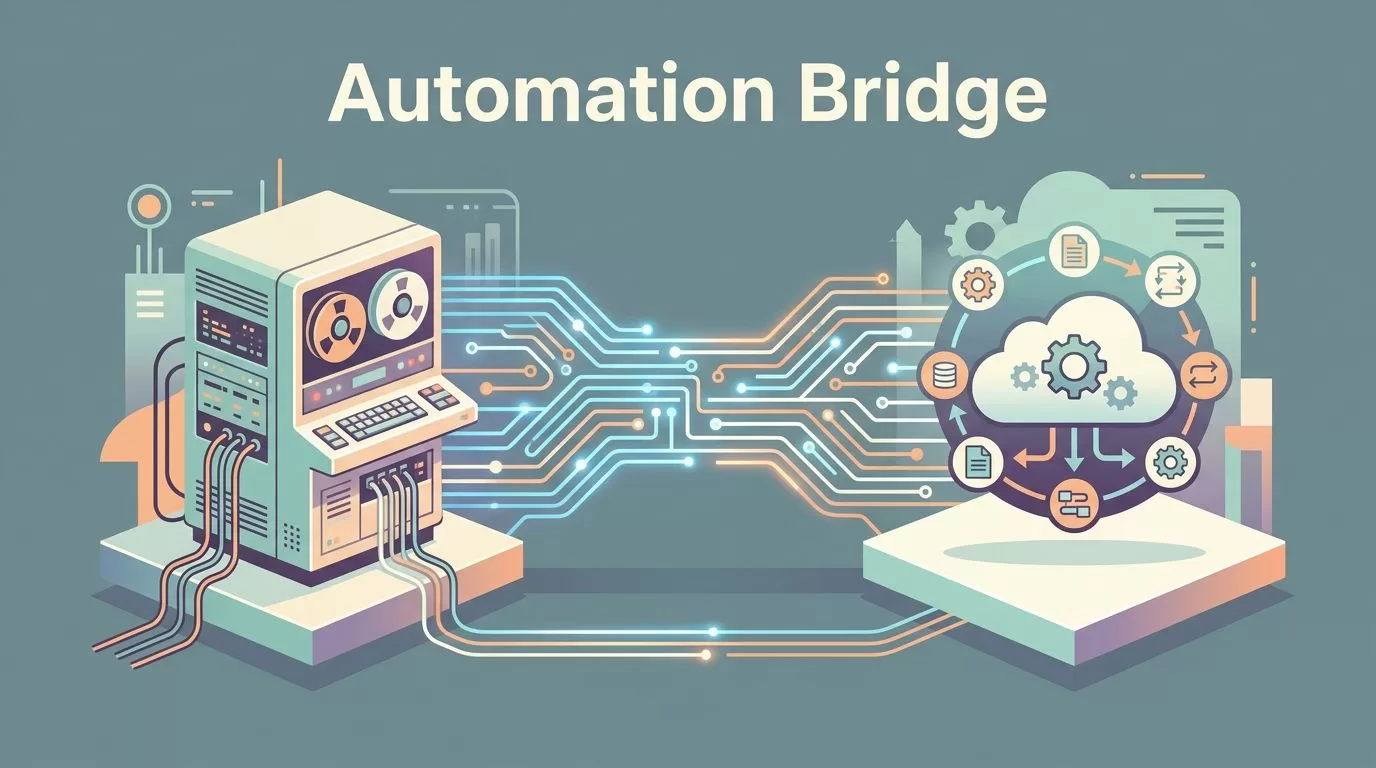
Old systems are often the quiet engines behind payroll, billing, claims, and customer records. They may look clumsy, but they still keep the business moving. When I think about legacy system automation, I don’t start with replacement plans. I start with the work that burns time, causes mistakes, and forces people to copy the same data twice.
That’s where Twin.so becomes useful. I see it as a bridge between rigid systems and modern workflows, not as a magical fix. The real goal is simpler, keep the process moving while the core system stays in place.
Why I don’t start with replacement
I’ve seen teams spend months debating a system swap while the daily work keeps piling up. The old platform still runs, the staff still knows it, and the business still depends on it. Replacing that system can make sense later, but it rarely solves today’s bottlenecks.
What I want first is control over the repeat work around the system. That means fewer logins, fewer exports, fewer copy-paste loops, and fewer late-night fire drills. It also means less pressure on people who have memorized screen paths that nobody documented.
There’s another reason I hesitate to replace too early. Legacy systems often contain business rules that still work well. The interface may feel dated, but the logic underneath can be stable and proven. I’d rather preserve that stability while automating the rough edges.
For a broader look at legacy system automation strategies, I like the middle path it describes. That middle path matters because it respects both continuity and progress.
Where Twin.so fits in the middle
I use Twin.so as the layer that sits between the old system and the new process. It helps when work lives in screens, forms, exports, and handoffs. That’s where many legacy teams lose time.
I treat legacy automation as a bridge project. I move the work first, then decide whether the old structure still earns its place.
Twin.so fits best when a process is repetitive, rules are clear, and the legacy app is hard to change. It can help shape the flow around that app, so people don’t have to babysit every transaction. In practice, that means I can design a path for data to move, checks to happen, and exceptions to surface without making the team live inside the old interface.
That approach is also easier to defend internally. I’m not asking the business to bet everything on a big rebuild. I’m asking it to remove friction one process at a time.
The methods I trust on legacy systems
I’ve found that most legacy automation falls into a few practical methods. Each one works best in a different setting, and each one has a clear tradeoff.
| Method | Best fit | Main risk | How Twin.so helps |
|---|---|---|---|
| Browser-based automation | Old systems with no API | UI changes can break flows | Repeats screen work and checks outcomes |
| Workflow orchestration | Multi-step jobs across tools | Hidden handoffs | Keeps steps, retries, and approvals in order |
| API augmentation | Mixed old and new systems | Partial coverage | Moves data into and out of API-ready tools |
| Human-in-the-loop | High-risk or exception-heavy work | Slower speed if overused | Routes edge cases to people without stopping flow |
The pattern is simple. I automate the repeatable part, then keep people where judgment matters.
Browser-based automation
When a system has no usable API, the browser becomes the entry point. I can open records, fill forms, copy values, submit requests, and confirm results. That still removes a lot of manual work.
This method works well for invoice entry, account updates, order checks, and routine data moves. The risk is fragility. If the screen changes too often, the automation needs maintenance. So I keep browser-based jobs narrow and predictable.
Workflow orchestration
Some problems are not about one screen. They’re about the whole chain. One person approves something, another system updates a record, and a third team needs a status note. Workflow orchestration keeps those steps in order.
Twin.so can help connect that chain so tasks don’t sit in limbo. I like this approach when the process crosses departments. It cuts delays, because the handoff rules are clear. For a useful overview of workflow automation platforms for legacy integration, I often compare how different tools handle those handoffs.
API augmentation
Not every old system needs a full API makeover. Sometimes I only need a thin layer around the process. That layer can expose data to reporting tools, ticketing systems, notifications, or downstream apps.
This is where I get the most practical value. I keep the legacy core untouched, then let modern tools exchange information around it. Twin.so fits when I need the automation to pass data cleanly between an old source and a newer destination.
Human-in-the-loop handoffs
I never remove people from every step. That usually creates a mess. Instead, I let the automation handle routine work and send exceptions to a person.
This matters most when money moves, customer records change, or a decision needs context. A person can spot the odd case that a rule engine misses. That keeps errors lower and continuity higher, especially when the legacy system is too important to trust blindly.
What I measure after launch
I don’t judge success by how clever the setup looks. I judge it by the work it removes. If the team still spends the same amount of time touching the process, the automation isn’t paying its way.
These are the signs I watch first:
- Fewer manual touches: I want fewer copy-paste steps and fewer status checks.
- Faster processing: I want cases to move faster through the queue.
- Lower error rates: I want fewer typos, missed fields, and duplicate entries.
- Better continuity: I want the process to keep moving when one person is out or one system slows down.
If those numbers improve, the design is working. If they don’t, I look for too many exceptions, too broad a scope, or a weak fallback path. Legacy automation should reduce pressure on the team, not move the pressure somewhere else.
I care more about steady flow than flashy automation. If the process keeps moving on a normal Tuesday, the design is doing its job.
How I roll it out in phases
I never start with the hardest process. I pick one task that repeats often, has a clear owner, and carries manageable risk. That gives me enough signal without putting operations in danger.
Here’s the rollout pattern I prefer:
- I choose one narrow process with enough volume to matter.
- I map every screen, field, approval, and exception.
- I define a human fallback for anything unusual.
- I run the automation alongside the old process before switching fully.
- I review the numbers after a short period and expand only if the flow holds.
That approach keeps the team calm. It also gives me room to improve the process before I widen it. Twin.so fits well here because it can support an incremental rollout instead of forcing a full cutover.
The best legacy automation projects usually look modest at first. They remove one annoying task, then another, then another. Over time, that adds up to less manual work, faster processing, fewer errors, and better continuity across the business.
Conclusion
Legacy systems don’t need drama. They need fewer bottlenecks, clearer handoffs, and a cleaner path for routine work. That’s why I like using Twin.so as a bridge, not a replacement plan.
When I focus on browser-based automation, workflow orchestration, API augmentation, and human-in-the-loop steps, I can improve the process without breaking the core system. That’s the kind of legacy system automation that earns trust inside operations teams.
If the old system still runs the business, the smartest move is often to make the work around it smarter first.
