Drive Product Management Automation With Twin.so
Most product managers lose time to work that never improves the product. They copy customer feedback, check competitor pages, update Jira, chase status, and rebuild the same weekly report. Product management automation reduces that overhead...
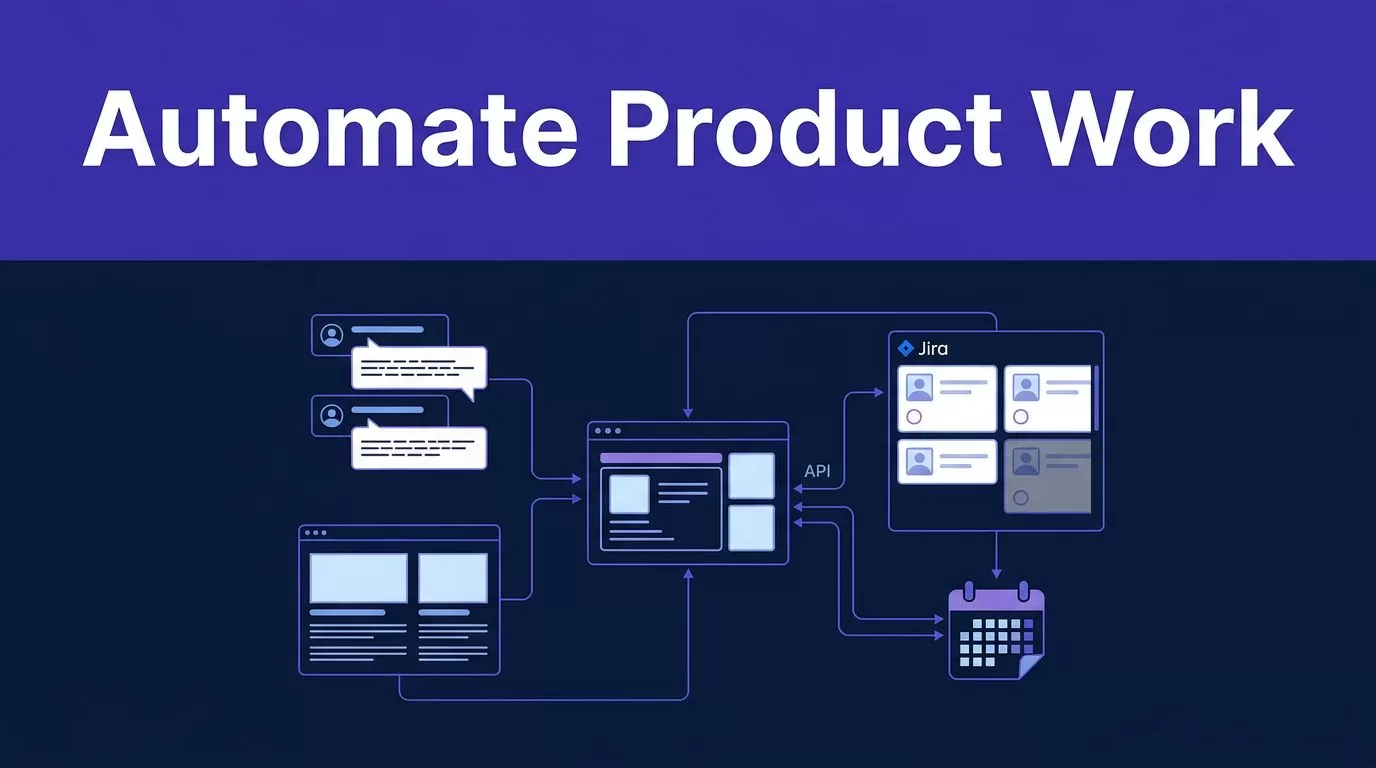
Most product managers lose time to work that never improves the product. They copy customer feedback, check competitor pages, update Jira, chase status, and rebuild the same weekly report.
Product management automation reduces that overhead when workflows have clear inputs, owners, and review rules. Twin.so is one of several automation platforms. It uses artificial intelligence through no-code AI agents. They can use APIs, browse websites, research information, and run on schedules or webhooks. They can also work with tools that lack a useful API.
Twin.so doesn’t replace product judgment. It collects evidence, moves information, drafts outputs, and flags exceptions across the product lifecycle. Your team still decides what belongs on the roadmap and what should ship.
Key Takeaways
- Product management automation should reduce repetitive coordination without replacing product judgment or accountability.
- Twin.so is best suited to evidence-heavy workflows involving unstructured information, changing websites, browser actions, and multiple systems.
- Use OPSD to define the objective, people, systems, data, output, and controls before automating a workflow.
- Start with low-risk, read-only workflows, require evidence and human approval for high-impact actions, and expand permissions gradually.
- Measure accepted outputs, quality, correction rates, failures, and total time saved rather than counting agent runs alone.
What Twin.so Adds to Product Management Automation
Traditional workflow automation follows fixed rules. A trigger starts an action, a field changes, or a message is sent. Zapier, Make, and n8n work well when the process is predictable. Robotic process automation is another suitable approach for stable, deterministic work.
Twin.so adds AI agents to workflows that include unstructured information or browser-based steps. The agent can read a page, compare information, interpret a request, fill out a form, and return a structured result. Twin says its platform includes more than 5,000 integrations, along with web scrapers, browser agents, web research, time triggers, and webhooks.
Changing public pages can support competitive intelligence and market research when the agent tracks relevant updates.
Use the simplest tool that fits the process.
| Workflow requirement | Suitable approach | Reason |
|---|---|---|
| Move a fixed field between systems | Zapier workflows, Make, or n8n | Rules are easy to test and maintain |
| Update Jira when a known event occurs | Jira automation | The workflow stays inside the delivery system |
| Research changing websites | Twin.so | The agent can browse and interpret pages |
| Work with a legacy portal | Twin.so browser agent | Browser control can cover missing API access |
| Draft a report from several sources | Twin.so plus human review | The agent can gather and organize evidence |
A broader AI workflow automation tool guide helps readers evaluate automation tools and compare automation platforms. The decision is not about replacing every automation system. It is about assigning each task to the right execution model.
Build the Backlog With OPSD
Product managers should not start by asking what an AI agent can do. Start with the work your team repeats. OPSD helps structure backlog management around that work.
Use the OPSD framework to map each automation candidate across four areas:
- Objectives define the business result. Examples include reducing weekly reporting time or improving feedback coverage.
- People identify the owner, reviewer, and teams affected by the output.
- Systems list the sources and destinations, such as support software, interview repositories, Jira, Notion, and spreadsheets. Include a data warehouse only when it’s an approved source or destination.
- Data defines the fields the agent may read, create, change, or delete.
This prevents a common failure. Teams automate a visible task without fixing the handoff around it. The agent produces a summary, but nobody owns review. Or it updates a system with incomplete data, and the error spreads.
A practical OPSD backlog item should include:
| Field | Example |
|---|---|
| Objective | Produce a weekly customer feedback brief |
| People | Product operations owner, product manager, support lead |
| Systems | Support inbox, interview database, product workspace |
| Data | Feedback text, account type, feature, date, source ID |
| Output | Reviewed theme report with evidence and open questions |
| Control | Human approval before product roadmap or customer action |
Use Jira automation for predictable status changes. Reserve a contextual agent for work that requires interpretation.
Prioritize work that runs often, has stable inputs, produces a verifiable result, and carries limited risk if the first version is wrong. A weekly research brief is a better starting point than an agent that changes production pricing.
Keep the intake and delivery status visible. An intake-to-outcome status model can help teams track who submitted the request, who owns it, and where the result sits.
Practical Twin.so Workflows for Product Teams
Twin.so is most useful when evidence-heavy work crosses multiple systems or involves web-based research. These workflows support key steps across the product lifecycle.
Synthesize customer feedback
Feedback often sits in support tickets, user interviews, app reviews, surveys, and account messages. AI agents can collect approved records, normalize the fields, group similar themes, and prepare a report for review.
Give the agent a fixed output structure. Use prompt templates to require a source ID or URL for every finding. Separate direct customer statements from the agent’s interpretation.
A useful instruction looks like this:
Collect only approved feedback records. Return the source ID, customer segment, product area, theme, evidence quote, confidence level, and unresolved questions. Never infer a customer commitment.
The product manager then checks whether the grouping is valid. Large Language Models can merge different complaints into one theme or mistake a single loud request for a broad pattern. The agent should prepare the evidence. It shouldn’t decide demand priority.
Monitor competitors for competitive intelligence and market research
Twin lists competitor monitoring as a use case. An agent can check competitor pricing, product listings, documentation, release notes, release pages, or public comparison pages on a schedule. It can then return changes in a report or send an alert.
Store the page URL, retrieval date, previous value, new value, and evidence excerpt. Ask the agent to label a page as unavailable when it cannot verify a change. Don’t let it fill missing prices or features from memory.
Use reasonable request limits and follow each site’s terms of use. Browser automation is useful for pages without APIs, but it doesn’t remove access restrictions or data-use obligations.
Draft PRDs and coordinate Jira
PRD generation can start with approved research, product notes, user stories, and technical specifications. It can also prepare content for connected tools or browser-based systems. If your Jira environment is available through a connector or browser session, the agent may help apply defined updates.
Keep the agent’s authority narrow. It can create a draft, add evidence-linked issue content for backlog management, populate a template, or prepare a status summary. A human should approve scope, estimates, acceptance criteria, priority, and release decisions.
PRD generation has clear limits. An AI model can invent a dependency, omit a non-functional requirement, or state an assumption as a fact. A careful RAG implementation can provide approved documents at run time instead of relying on model memory. It still needs source ownership, document dates, and access controls.
For sprint planning, teams should use native Jira automation for predictable status changes. Use Twin.so for context-rich summaries, such as reviewing several issue comments and drafting a sprint risk report. Don’t use an agent to close issues or change release commitments without approval.
Set Boundaries Before Agents Take Action
An agent should not have the same access as a product operations administrator. Start with read-only access. Add write permissions only after the output is reliable and the failure case is clear.
Use these controls:
- Restrict the agent to approved systems, projects, folders, and fields.
- Keep credentials in an approved secret-management process. Never paste passwords or API keys into instructions.
- Require source links, record IDs, dates, and confidence labels in research outputs.
- Send external messages, roadmap changes, financial actions, deletions, and production updates to an approval queue.
- Stop the run when required data is missing, access fails, or two sources conflict.
- Set retry limits. Repeated browser actions can create duplicate records or repeated messages.
- Log each run, including the input, output, action taken, reviewer, and error.
- Test browser workflows after changes to page layout, login rules, or multi-factor authentication.
The safest first agent is one that prepares a decision for a person. The riskiest first agent is one that makes an irreversible change.
Cross-functional alignment remains a product management responsibility. Product, engineering, support, legal, and security teams need one accountable owner for each automated workflow, along with a clear escalation path when the agent cannot complete a task.
Measure ROI Without Inflating the Result
Automation projects need a clear baseline. Record the process time, monthly run frequency, manual touches, and error rate.
A simple monthly estimate is:
(baseline minutes - automated minutes) x monthly runs x loaded hourly rate - platform and maintenance cost
Track quality separately from time saved. Faster output has limited value if reviewers must rewrite it.
Useful measures include:
- Time from source collection to reviewed output.
- Percentage of records processed without manual copying.
- Number of failed or incomplete runs.
- Percentage of findings supported by valid evidence.
- Reviewer correction rate.
- Jira status accuracy after automation.
- Hours saved per month after review time is included.
Include integration friction in the calculation. Legacy systems may have limited permissions, unstable page layouts, MFA challenges, rate limits, or no supported API. Twin’s browser approach can address some gaps, but every run still needs maintenance and failure handling.
A Six-Step Twin.so Rollout Plan
- Choose one low-risk workflow. Start with a recurring report, competitor check, or feedback collection process.
- Map the current process. Create a workflow map covering every source, field, handoff, decision, and exception.
- Write the agent contract. Define allowed sources, output fields, forbidden actions, escalation rules, and approval points.
- Connect a test environment. Use sample records or a separate project before granting Twin access to live systems.
- Run in shadow mode. Let Twin produce results without changing systems. Compare its output with the manual process.
- Review and expand carefully. Fix failure cases, measure the result, and move deterministic Jira status updates to “Jira automation” before adding broader permissions or actions.
If your team needs help scoping an agent workflow, you can Book A Call after documenting the process and its access requirements first.
Frequently Asked Questions
What is product management automation?
Product management automation uses workflows, integrations, or AI agents to reduce repetitive work across the product lifecycle. It can collect feedback, monitor competitors, update systems, and draft reports while people retain responsibility for judgment and decisions.
When should product teams use Twin.so instead of Jira automation or Zapier?
Use Jira automation, Zapier, Make, or n8n for predictable actions with fixed rules and structured inputs. Twin.so is a better fit when the workflow requires web research, browser-based systems, or interpretation of unstructured information.
What product management tasks can Twin.so automate?
Twin.so can help synthesize approved customer feedback, monitor competitor pages, draft PRDs, prepare Jira updates, and create research or sprint reports. Outputs should include evidence and remain subject to human review when they affect priorities, commitments, customers, or production systems.
How should teams safely roll out an AI agent?
Start with one low-risk workflow, define allowed sources and forbidden actions, and test the agent in a separate environment or shadow mode. Begin with read-only access, log each run, and add write permissions only after the output and failure cases are understood.
How do product teams measure automation ROI?
Record the baseline time, run frequency, manual touches, error rate, and review effort before automation. Then compare time saved and output quality against platform, maintenance, correction, and failure-handling costs.
Product Management Automation Needs Product Judgment
Twin.so is a practical fit for selected parts of the product lifecycle. It works well with research, browser actions, changing web data, and multiple business systems. It is not a substitute for product strategy or the judgment required during product development. Technical review and customer accountability still belong with people.
Build the backlog with OPSD. Use Twin for evidence collection, research, drafts, and controlled execution. Keep high-impact decisions behind approval gates. People remain accountable for evidence, prioritization, and customer decisions. Measure accepted outputs, not the number of times the agent runs.
The goal is not to remove people from product operations. It is to remove repetitive coordination so product managers can spend more time deciding what deserves attention.
