Supplier orders tend to break in the same places, a late reorder, a missed approval, or a vendor email buried in a crowded inbox. Once volume rises, each manual handoff adds another chance for the wrong quantity, the wrong timing, or a shipment that misses the window.
That is why I treat supplier order automation as a control system, not a convenience feature. On Twin.so, I can set rules that fire at the right moment, route approvals, and keep suppliers informed without chasing every request by hand.
The result is calmer procurement, fewer stock surprises, and less time spent fixing avoidable mistakes. The rest is about setting the flow up with care.
Why I automate supplier orders before the backlog grows
Manual ordering usually looks harmless at first. A buyer checks stock, sends a PO, waits for approval, and follows up later. Then the business grows, order counts rise, and that simple routine turns into a stack of small delays.
I automate early because the cost shows up in places people miss. A late reorder can stall fulfillment. A missed MOQ can trigger extra shipping fees. A typo in a supplier email can create a bad shipment. When the same steps repeat every week, the machine should take the wheel.
That logic is backed up by broader ecommerce automation work. eCommerce automation benefits and examples shows how automated processes improve daily work in inventory, fulfillment, and service. I see the same pattern in supplier purchasing, the more repeatable the task, the better it fits automation.
If a rule needs a long explanation, I usually split it into two smaller rules.
That simple habit keeps the workflow clear. It also makes the process easier to test, which matters when a supplier order affects cash, stock, and shipping at the same time.
Automation helps my team in three ways. First, it cuts rework. Second, it gives me cleaner timing on replenishment. Third, it gives me a paper trail I can trust when someone asks why an order went out or why it waited. For operations and ecommerce teams, that kind of visibility is worth more than a shiny dashboard.
How I build reorder triggers in Twin.so
When I set up supplier order automation in Twin.so, I start with the smallest rule that matters. I don’t try to automate every edge case on day one. I pick the orders that repeat, hurt the most, and already have decent data.
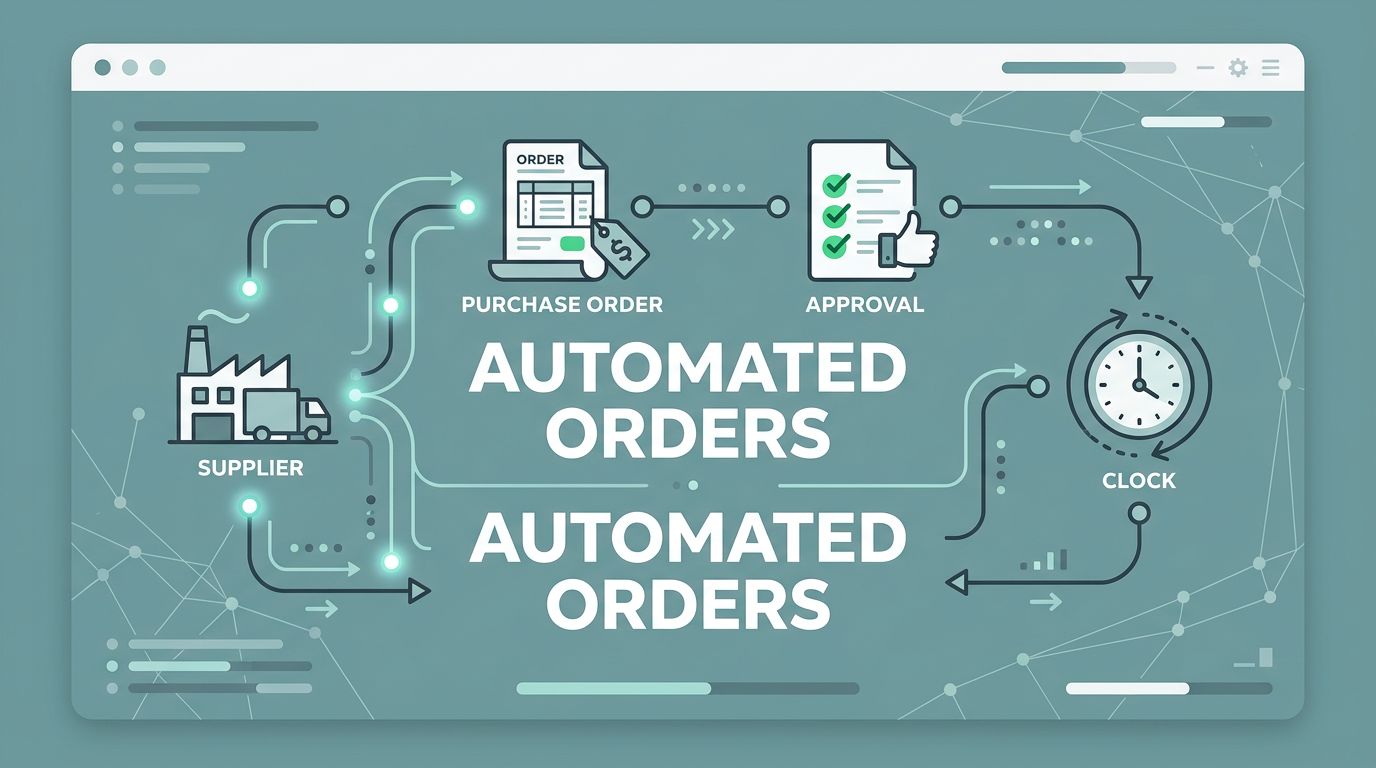
I usually shape the workflow in four parts:
- I define the reorder signal.
I set a trigger around stock level, sales velocity, or a date-based need. For example, if a SKU falls below 40 units and lead time is 12 days, Twin.so creates a draft order before the shelf goes bare. - I layer in supplier rules.
Some vendors need minimum order quantities, set send times, or special pack sizes. I put those constraints into the flow so the system doesn’t create orders that the supplier will reject anyway. - I add approval logic.
Low-value orders can move quickly, while higher spend orders route to a manager or finance lead. That keeps control in place without turning every request into a bottleneck. - I connect the output.
The draft order should land where my team already works, whether that is a finance tool, an ERP, a shared spreadsheet, or a purchasing inbox. The goal is to remove copy-and-paste work, not create another place to check.


I like to start with one clean use case, such as a fast-moving SKU with steady demand. Once that works, I add seasonal items, supplier-specific lead times, and higher-risk approvals. That staged approach keeps the rules readable.
The best trigger is one my team can explain in a sentence. If I can’t do that, the logic is too busy. A reorder rule should feel like a guardrail, not a puzzle.
Keeping supplier communication on one track
Orders don’t fail only because of bad stock data. They also fail because messages drift. One person sends a PO by email, another replies in a thread, and a supplier answers a different contact three days later. The process turns into a small knot.
I use Twin.so to keep supplier communication attached to the order itself. When the reorder fires, the right message goes out with the right details, so the supplier sees quantity, timing, and approval status without digging through side conversations. That kind of order flow matches the pattern described in automated order processing benefits, where placement and follow-up stop living in separate inboxes.
This matters even more when exceptions appear. If a product is on backorder, if a price changes, or if the supplier asks for a revised date, I want that change to sit inside the same workflow. That way, my team sees the full story instead of a half-finished thread.
For overseas suppliers, I also keep payment planning close to the order path. I use managing international vendor payments when I need the billing side to stay clear across currencies and countries. That helps me avoid the common trap where purchasing and finance work from different versions of the truth.
Supplier messages work best when they are short and timed well. I don’t need a long note for every event. I need a clear order number, a reason for the message, and the next step. When Twin.so handles that routine exchange, my team has more room to deal with real exceptions.


The same approach helps with shared vendor schedules too. If a supplier only accepts orders on certain days, I can hold the request until that window opens. If a lead time changes, I update one rule instead of sending a dozen follow-up emails.
Visibility, approvals, and the reports I watch
Automation only pays off if I can see what it’s doing. I watch the flow closely at first, then I turn my attention to the metrics that show whether the system is healthy. The best ones are simple: approval time, order cycle time, stockout rate, and exception count.
Those numbers tell me where the workflow leaks. If approvals stall, I know the handoff is too heavy. If stockouts still happen, the reorder threshold is too low or the lead time is wrong. If exceptions pile up on one supplier, that vendor probably needs its own rule set.
I also keep a close eye on order history. A clean record helps me spot repeat buys, seasonality, and suppliers that constantly miss delivery dates. Over time, that history becomes a planning tool instead of a pile of receipts. It tells me when to raise reorder points and when to slow them down.
When the order trail needs to meet accounting, I connect it with automating accounting workflows with AI. That helps me match supplier documents with the purchasing record, so finance isn’t left reconciling mystery numbers later.

This is where the system starts to feel dependable. I can open the workflow and see what is waiting, what moved, and what needs a human check. That means fewer surprise shortages and fewer Friday afternoon fire drills.
A good review rhythm helps too. I check the rules after a few weeks, then again after a buying cycle changes. New products, different lead times, and supplier shifts all deserve a second look. If I skip that review, the automation can drift out of sync with reality.
Conclusion
When supplier orders depend on memory, inboxes, and manual checks, the process slows down fast. Twin.so gives me a better way to run it, with rules for reorders, approvals, supplier messages, and reporting that all stay tied together.
The biggest win is not speed alone. It is control. I get fewer errors, faster replenishment, and a clearer view of what needs attention before stock runs thin.
That is the real value of supplier order automation. It turns purchasing into a system I can trust, even when volume climbs.