How I Execute Headhunting Steps with Recruit CRM
You’ve got a tough executive role to fill. Deadlines press in, and top talent hides behind busy schedules. I face this weekly in my recruiting work. Recruit CRM turns that scramble into a smooth flow. It handles the headhunting proces...

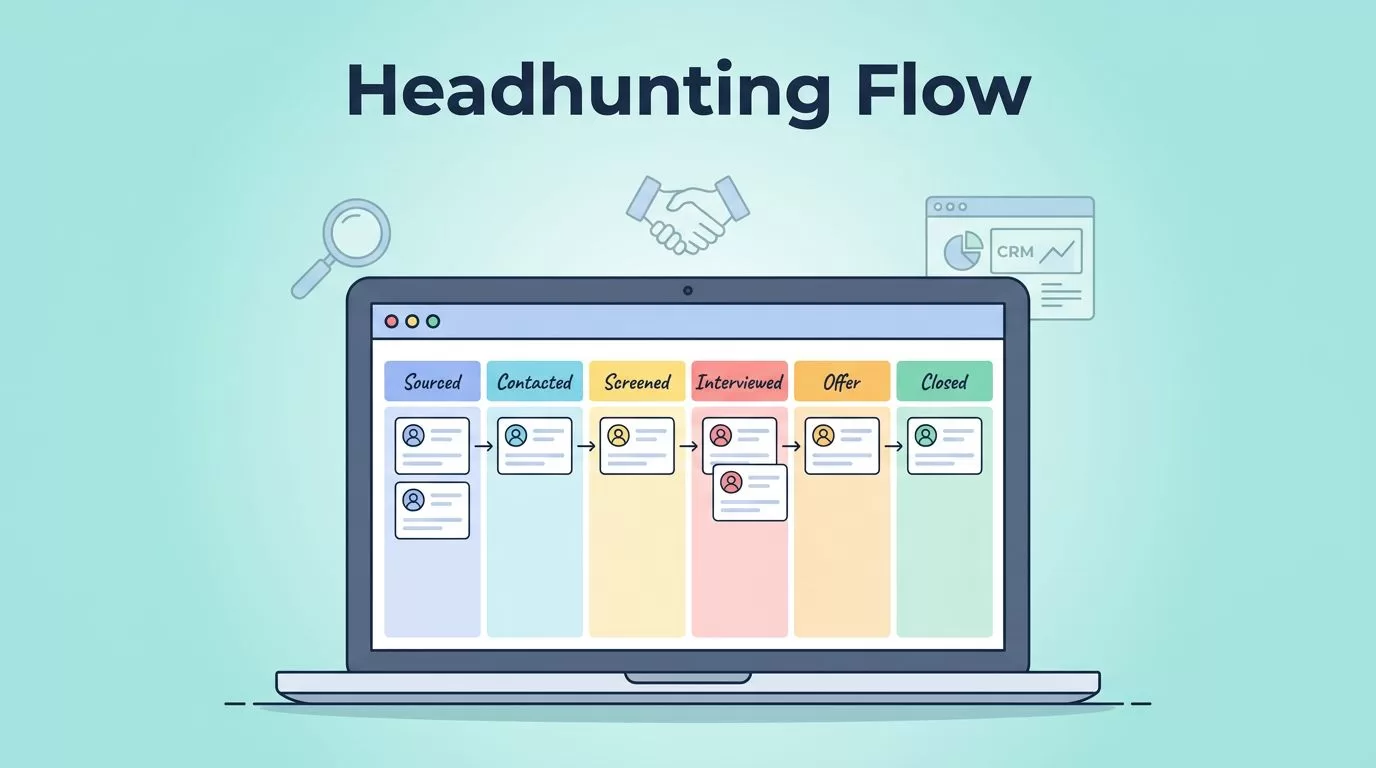
You’ve got a tough executive role to fill. Deadlines press in, and top talent hides behind busy schedules. I face this weekly in my recruiting work. Recruit CRM turns that scramble into a smooth flow. It handles the headhunting process steps from sourcing to close.
I rely on its tools daily. Pipelines stay visual. Outreach automates. Reports prove progress to clients. Follow my workflow, and you’ll cut time on admin while boosting placements.
Let’s walk through how I set it up.
Set Up Your Headhunting Pipeline
I start every search with a clean pipeline in Recruit CRM. Kanban boards show jobs, candidates, and stages at a glance. Drag cards as people move forward. Customize stages for executive hunts: Sourced, Contacted, Screened, Interviewed, Client Submit, Offer, Closed Won.
First, create a new job. Add client details and role specs. Set pipeline stages to match your process. I add custom fields for notice periods or relocation willingness. Tasks pop up automatically, like “Call candidate” or “Schedule intro call.”
Common mistake? Overloading stages. Keep it to seven max. That way, you spot bottlenecks fast. For teams, share pipelines. Everyone sees updates in real time.


This setup saved me hours last month on a CTO search. Pipeline velocity dashboard flagged slow screens. I adjusted, and we closed in six weeks.
Source Top Executive Talent
Next, I hunt candidates. Recruit CRM’s AI sourcing pulls from 800 million profiles. Type the job brief. It scans LinkedIn, databases, even job boards. No endless Boolean strings.
Install the Chrome extension first. Click a LinkedIn profile, and data imports: skills, experience, contacts. I sourced 40 VP-level matches in under an hour for a finance role. AI scores them against the job. Top ones bubble up.
Build hotlists for quick access. Tag by industry or skill. Employee referrals feed in too. Avoid dumping everything into one pool. Segment by fit level: A-list for immediate outreach, B for nurture.
For deeper market maps, check this step-by-step executive search process. It aligns with my sourcing habits.

Pro tip: Set sourcing goals weekly. Track sources in Recruit CRM to repeat what works.
Reach Out and Engage Candidates
Outreach follows sourcing. I build email sequences in Recruit CRM. Personalize with AI: merge fields for name, role, recent achievement. Send bulk or one-off. Follow-ups trigger on opens or replies.
Multi-channel helps. Link emails to LinkedIn messages or SMS. Calendar sync books calls. All logs stay in the candidate profile. No more “Did I email them?” hunts.
I nurture passives with value drips: industry reports, not job pitches. For executives, space touches monthly. Automation handles it, so I focus on live talks.
One pitfall: Generic blasts. Always reference their work. It boosts replies 30% in my tests. See how I handle Recruit CRM candidate engagement setup for more on sequences.
Collaboration shines here. Team notes update instantly. Clients peek via portals without full access.
Screen and Assess for Fit
Screening weeds out mismatches. Upload resumes; parsing extracts skills and tenure. AI ranks against job criteria. I add filters: salary expectations, location.
Schedule video screens via integrated calendars. Scorecards track soft skills like leadership. Reference checks log in profiles. Background verification links pull reports.
Custom assessments work for exec roles. Send skill tests or case studies. Results auto-populate. Hotlist top fits for client shares.
Mistake to dodge: Skipping scorecards. They keep bias low and decisions data-backed. I review 10 screens weekly this way.
Present to Clients and Close Deals
Shortlist ready? Generate presentations. Recruit CRM’s executive search report tool pulls candidate profiles, progress, market insights. Customize sections: cover, lists, individual bios.
Click “Submit Candidate.” Select fields like skills or notes. Clients get polished PDFs. Track views and feedback.
Interviews flow next. Pipelines update with dates. Negotiate offers in-app; track counters. Post-close, monitor probation.
For report details, Recruit CRM’s executive search report guide walks through it.
Track Progress with Reports
Metrics keep me sharp. Dashboards show pipeline speed, placement rates, source effectiveness. Filter by recruiter or client.
Weekly, I pull diversity stats and email opens. Spot trends: LinkedIn yields 40% better for C-suite. Adjust sourcing accordingly.

Use this for client updates. Prove value with numbers. My placements rose 25% after focusing on high-velocity stages. Check my take on headhunter software for faster role filling.
Key Takeaways
Recruit CRM streamlines my headhunting from pipeline to placement. Pipelines visualize flow. AI sources and engages. Reports build trust.
You cut chaos and close faster. Start with one job setup today. Watch your workflow transform.

